IT Support Specialist
Stronglink Services Incorporated
Job Description
Description
- Provide technical support to end-users for hardware and software issues.
- Troubleshoot and resolve computer and network problems efficiently.
- Assist in the installation and configuration of IT equipment.
- Maintain and update the IT inventory and documentation.
- Communicate effectively with users to understand their technology needs.
Requirements
- Educational Qualifications: Bachelor’s degree in Information Technology, Computer Science, or a related field.
- Experience Level: Junior: 0–2 years of experience in IT support or related areas.
- Skills and Competencies: Basic knowledge of computer hardware, software, and networking.
- Qualities and Traits: Strong problem-solving skills and ability to work under pressure.
- Working Conditions: May require working evenings or weekends as needed to troubleshoot issues.

Stonglink Services Inc.
HR SupervisorStronglink Services Incorporated
Reply today 2 times
Working Location
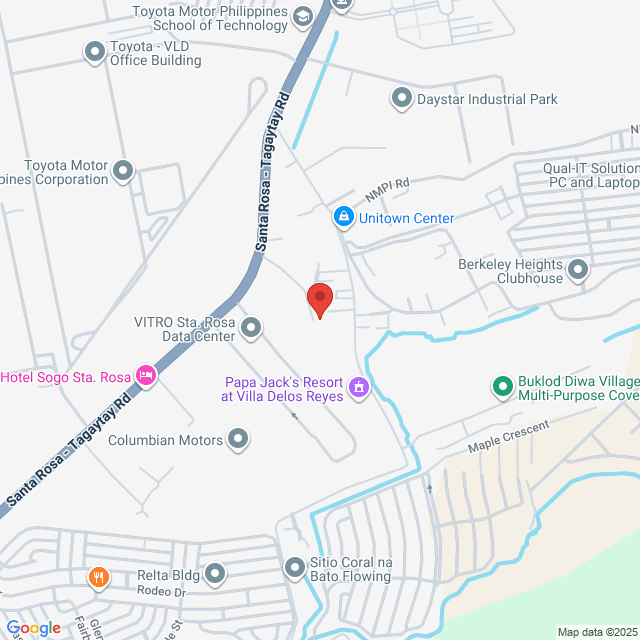
Stronglink Services Inc.. RL Bldg Francisco Village, City of Santa Rosa, Laguna, Philippines
Posted on 09 Feb 2026
Explore similar jobs
View more similar jobsTechnical Services Officer
 iSource Asia Business Solutions Corporation
₱15-20K[Monthly]
On-site - LagunaFresh Graduate/StudentBachelorFull-time

Camille PascualHR Officer
IT Technical Support
 OLVRO Co. Ltd.
₱30K[Monthly]
On-site - Laguna3-5 Yrs ExpBachelorContract

Deng CuartoRecruiter
Information Technology Staff
 Hyundai Laguna Inc.
₱15-20K[Monthly]
On-site - LagunaNo Exp RequiredBachelorFull-time

Human Resources Department [email protected]HR Manager
IT Technical Support
 Nextvas Inc.
₱15-17K[Monthly]
On-site - LagunaNo Exp RequiredBachelorFull-time

Nextvas IncHR Manager
IT Tech Support
 Innovato Information Technology Solutions
₱17-19K[Monthly]
On-site - Laguna1-3 Yrs ExpBachelorFull-time

Steven VicenteHR Associate

Stronglink Services Incorporated
Other
501-1000 Employees
Human Resources & Recruitment
View jobs hiring
Sign In to Chat with Boss
Bossjob Safety Reminder
If your job position involves working overseas, please stay vigilant and keep all communication within the Bossjob platform to avoid potential scams.
Your safety is our priority. Be cautious if an employer has any of the following behaviors, and report them immediately through the platform.
- Requests your ID or personal documents unnecessarily
- Asks for money, deposits, guarantees, or property during the hiring process
- Pressures you to invest or raise funds
- Collects illicit benefits. Engages in any other illegal or suspicious activity
- Redirects you outside the platform to other websites or group chats not related to the company or role you’re applying for